


A mekteb lives on small, everyday messages: a child is ill, the class is moved, a permission slip is needed. Mektebi has three ways to reach people, and each one has a clear purpose: chats, mosque notices, and notifications with a few emails.
Chats
Chats stay inside one mosque. They never reach beyond it.
- Students and parents can write to their muallims and to the mosque office.
- Muallims can write to their students and to the students' parents.
- A muallim can run a class channel for a course. Students can reply there only if the muallim allows it.
- Approved parents of a child under 18 can read along in their child's chats, but do not write in them.
- A message can be text, a voice message, a photo, a PDF or a card that links to a lesson, a course or an assignment.
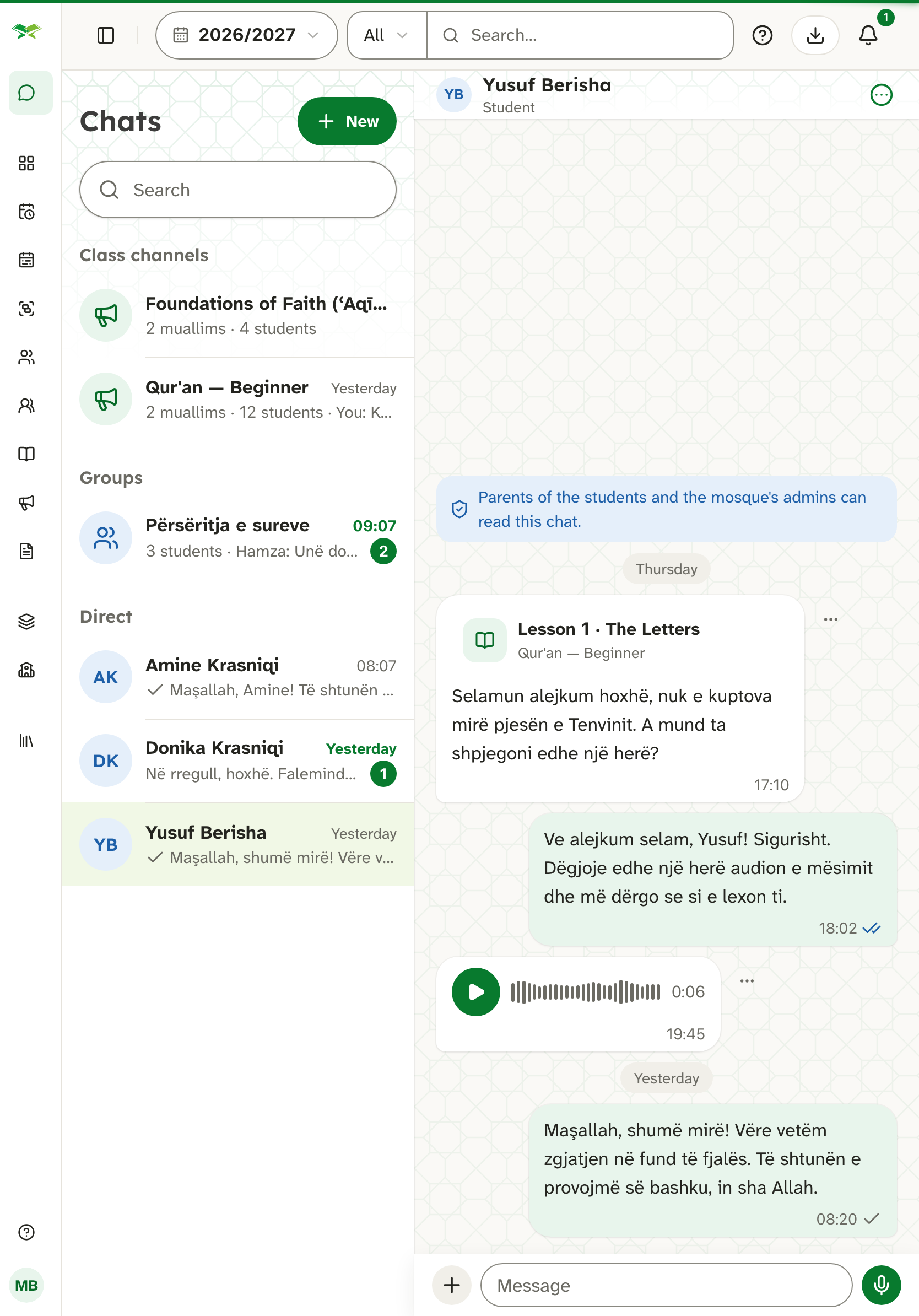
Because many students are children, the admins of a mosque can open every chat of that mosque. This is a safeguard for the children, and the privacy policy says so openly.
You can delete your own message within 15 minutes of sending it. Mektebi removes its text and any file.
Report and block
If a message is not acceptable, you can report it, and you can block a person. After a block, you no longer see that person's messages or get notifications about them, and they can no longer start a chat with you. A report goes to the mosque's admins and to the Mektebi team. The author is not told who reported them.
Mosque notices
A notice is a message from the mosque to many people at once, for example about a closure, a trip or a permission slip. The mosque can allow its muallims to send notices as well. A notice may carry a PDF or an image.
A notice arrives as a notification and appears on the website and in the app. Closures and urgent notices, and notices for people who do not use the app, also come by email. Where a notice asks for an answer, a parent can confirm it for each child.
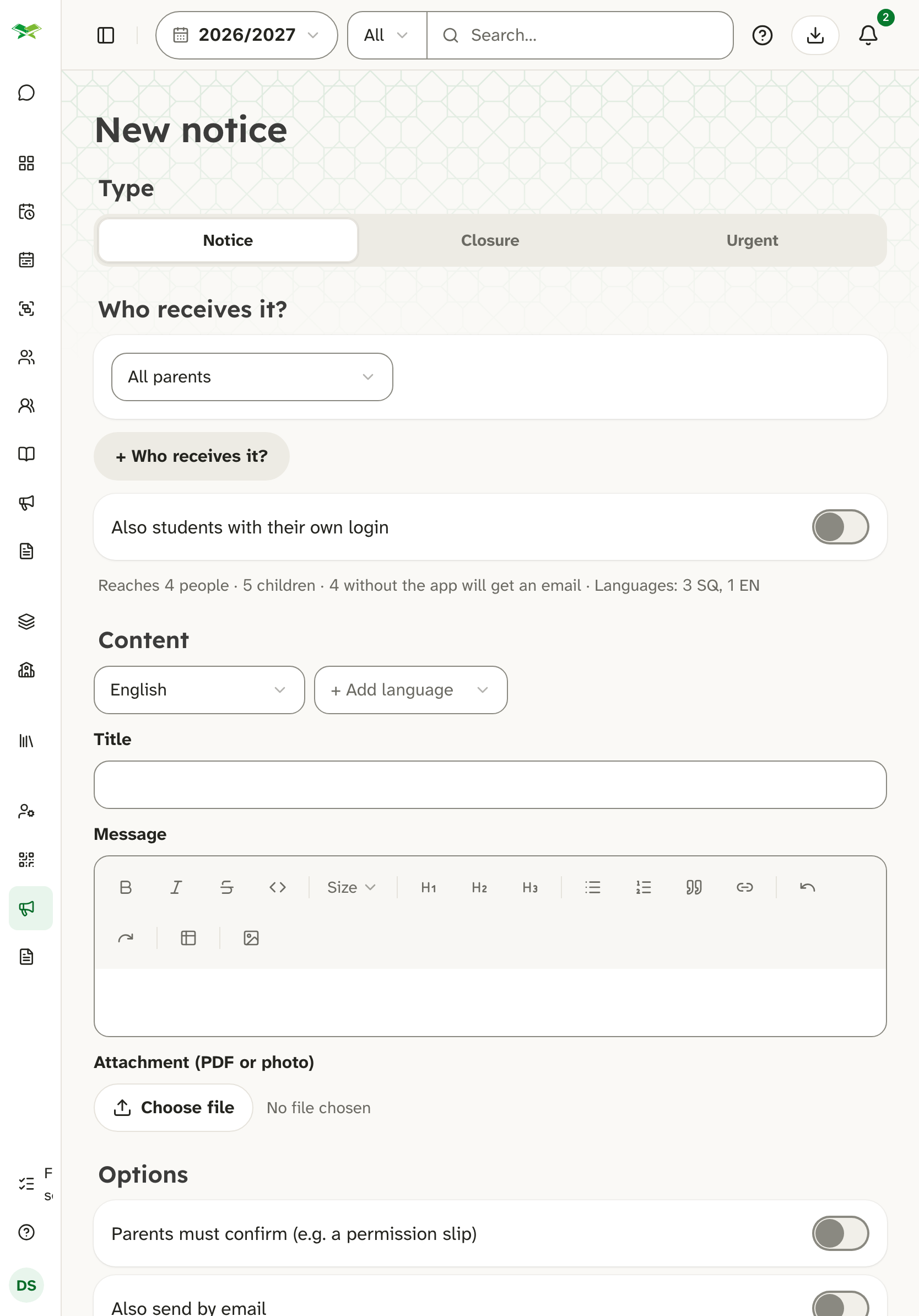
The admins of the mosque can see who received a notice, who opened it and who confirmed it. A muallim who sent a notice sees only the numbers.
Notifications
A notification tells you that something new is waiting. On the website it appears in your inbox. In the apps and in the browser it can also appear as an alert on your device, if you allow it.
Typical examples are a reminder the day before homework is due, a new grade, a new chat message, a mosque notice and an absence report. A chat alert shows the sender and the beginning of the message. For a voice message, a photo or a file, it shows only the kind of message. The note a parent writes with an absence report is never shown in a notification or an email.
To deliver alerts to a phone, the text of the alert passes through Apple or Google, who deliver it and do nothing else with it.
Emails
Typical emails from Mektebi are account emails such as confirming an address or resetting a password, urgent notices and a short note about new versions of Mektebi for mosque admins (see chapter Versions and what's new). The emails are sent through Postmark.
Every email is built the same way. It has one clear main button, a line that tells you why you are receiving it, and, for notifications, a link to the settings where you can switch that kind off. Every email is available in all six languages and is written in the language of the person who receives it.
Choosing what you receive
In your notification settings you decide which kinds of notification you want. You can switch off absences reported by parents, homework due tomorrow, chat messages, notices from the mosque, Qur'an progress and progress reports. Muallims and admins can also switch off alerts for students they follow, and admins can switch off the emails about new versions. A kind is on until you switch it off. Messages already in your inbox stay.
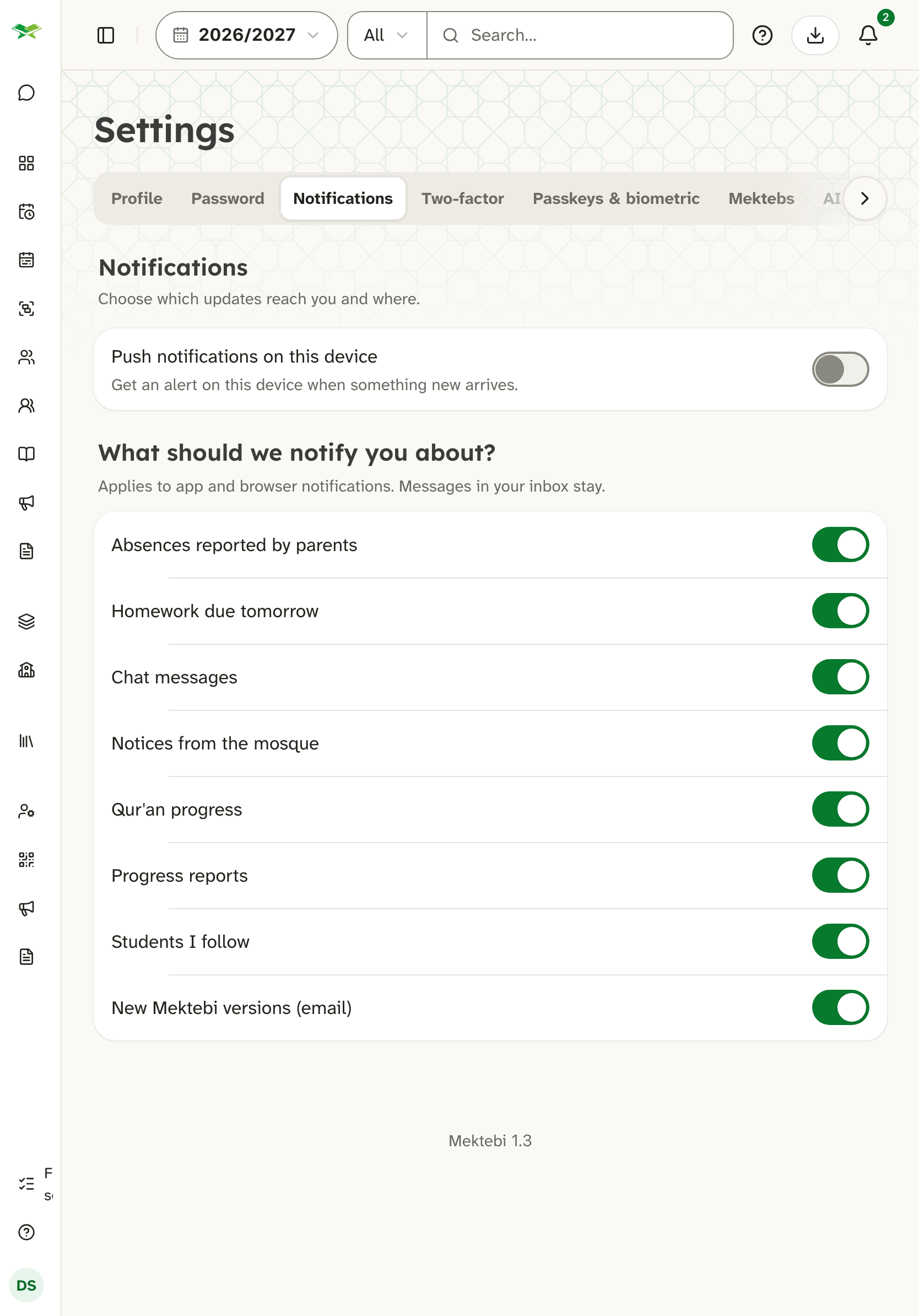
On a phone, you can also turn off all alerts for Mektebi in your phone's settings.
What is not promised
Messages are protected on their way and in storage: the connection is encrypted, and the text of chats is encrypted at rest. Mektebi does not claim that messages are visible only to the two people writing, because, as written above, the admins of the mosque can open the chats of their mosque.
Binding texts
The binding texts are the privacy policy, the data processing agreement and the terms. If anything here differs from them, those texts apply.